 Djinious


Finance operations
Invoices matched one child run each, exceptions explained rather than listed, and nothing above the delegated limit released without a signature.
 DjiniousWorkflow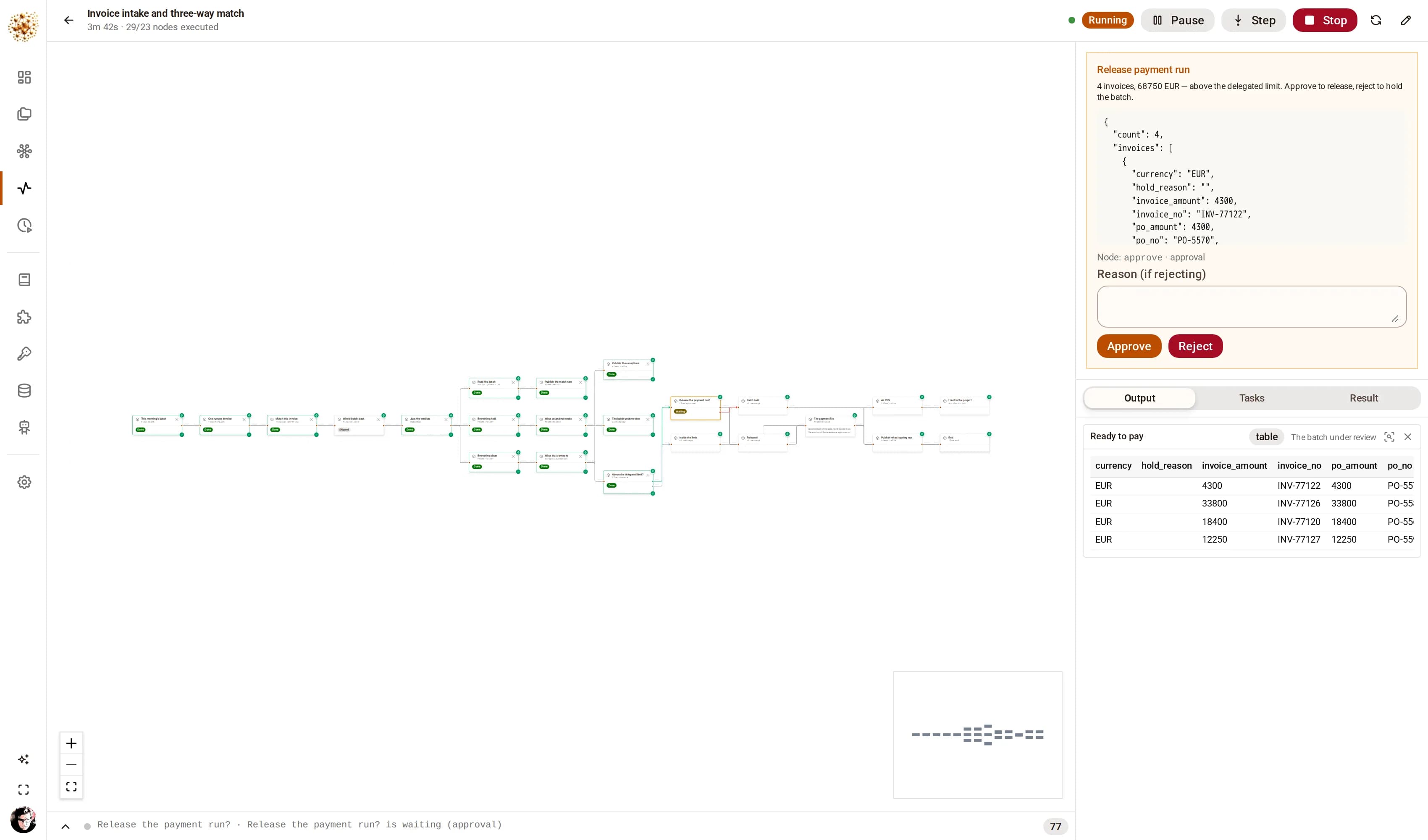
Sub-workflows · delegated limits
The batch graph does not know how to match an invoice. It fans the morning’s invoices out and calls a second graph once per invoice — which is what decomposition looks like here: the matching rules are one small graph a finance analyst can open, run against a single invoice, and change, without touching the machinery around it.
Then the money stops. Above the delegated limit the run parks on an approval; the payment file is written after the release, never beside it, so a rejected batch leaves nothing behind.
The invoice intake graph
DjiniousWorkflow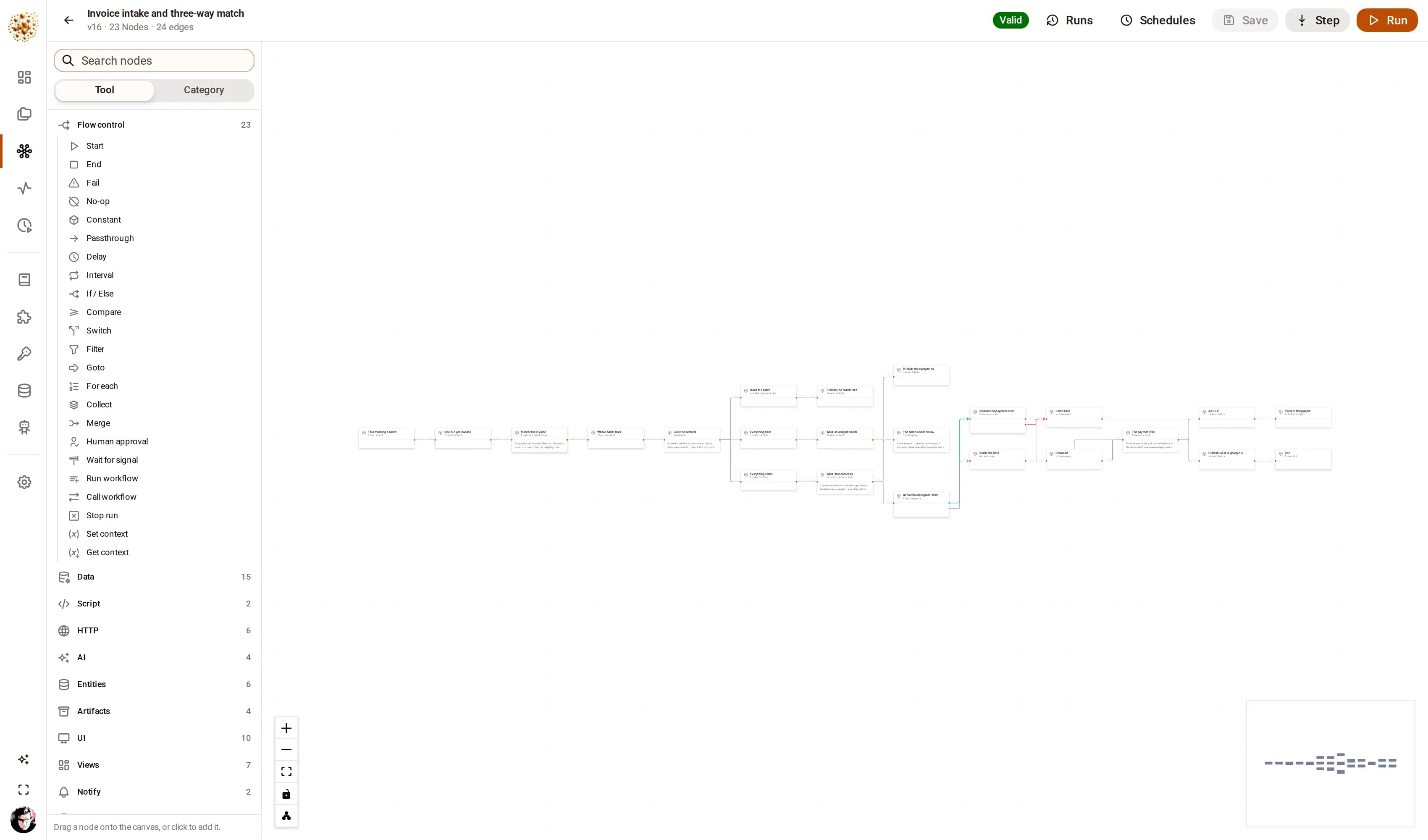
How the graphs run
One child run per invoice
The parent suspended in the database rather than holding threads.
A three-way match
With its tolerances stated at the top of the node.
An approval gate above the delegated limit
With rejection wired as a normal outcome.
A close pack
It files an actual .xlsx in the project’s object store.
On the canvas
flow:callWorkflow · flow:approve · files:toXlsx · artifacts:put
It ships with the product
This project ships with DjiniousWorkflow. One command seeds it, another runs every graph in it, and the captures here came out of those runs.
Where a graph leans on a fixture rather than a live system, it reads the fixture where your deployment would read a database — swap the node at the top and the rest of the graph does not change. The engine work — the fan-out, the gather, the approval, the publish — is the product’s own.
Keep exploring
Related use cases
 DjiniousDataMaster dataOne customer view from four systems that disagreeCluster the records that describe the same organization, and keep the ones you are not sure about out of the merge.DjiniousDataSite monitoringCounting what a camera sees, not what it detectsObject detection over photos, footage and live streams, materialised as metrics you can alert on.DjiniousData